
Markdown + terminals · any coding agent · ~5 MB

The lightweight workbench
for agentic workflows.

Your PRDs, skills & manifests on one side — the terminals your coding agents run in on the other. Supervise any agent from your phone. ~5 MB, opens in under half a second.

$ curl -fsSL https://raw.githubusercontent.com/z-alamsyah/playdown/main/install.sh | bash

macOS & Linux one-liner · or download for macOS / Linux / Windows

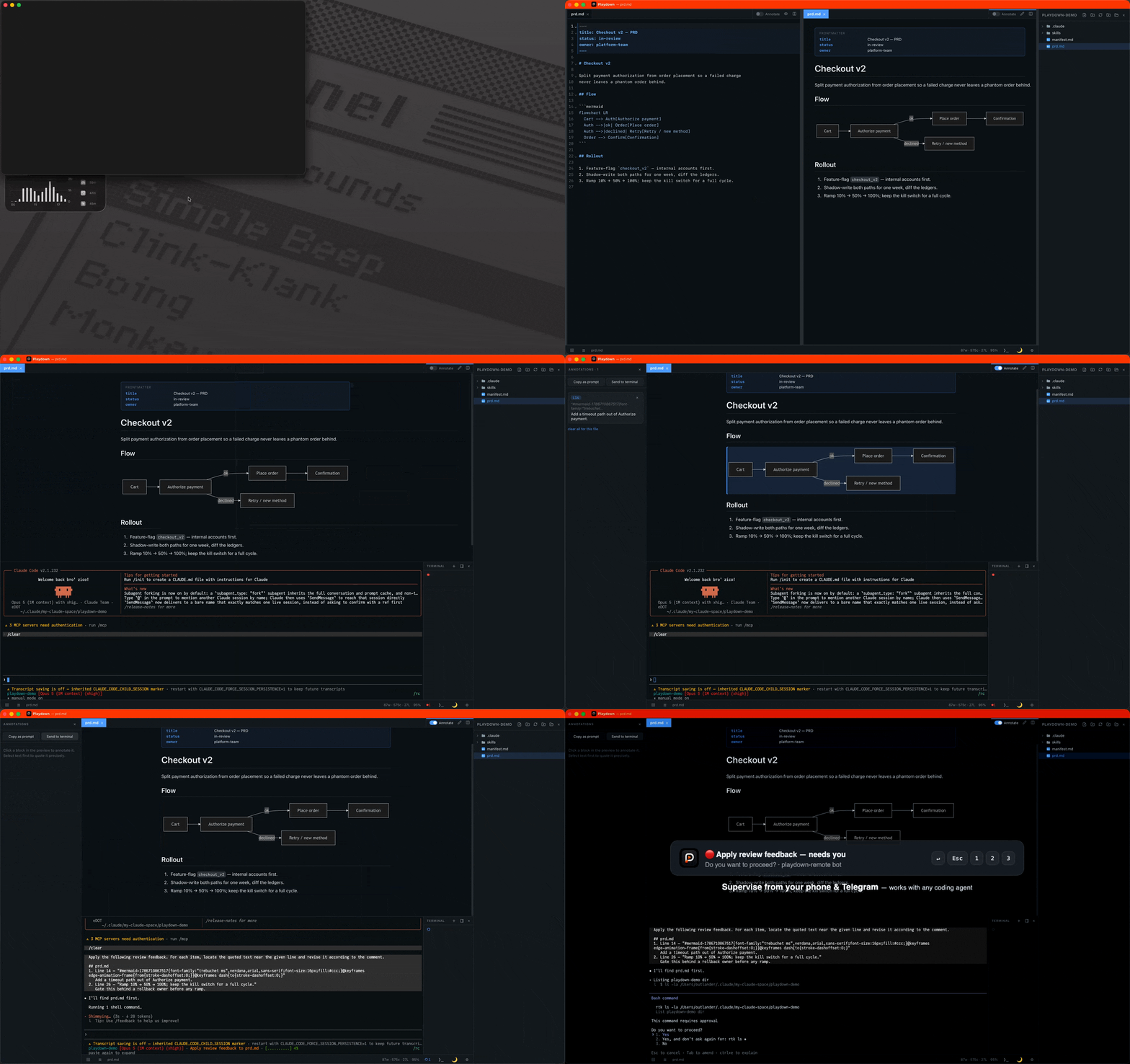
Playdown demo — annotate a PRD, send the review to a coding agent in the built-in terminal, watch it work
Playdown — prd.md
rfc.md skills/review.md prd.md
Outline
Flow
Rollout
Metrics
title Checkout v2 — PRD
status in-review
owner platform-team

Split payment authorization from order placement so a failed charge never leaves a phantom order behind.

playdown-demo
skills/
manifest.md
prd.md
Terminal 1: ✳ claude2: zsh
✻ Claude Code — Welcome back!
> apply the review feedback in prd.md
● Reading prd.md…
● Editing prd.md +9 −2
✓ 3 comments addressed
$ ▍
$ git diff --stat
M prd.md +9 −2
$ pnpm test
✓ 42 passed (1.2s)
$ ▍

Annotate a PRD, send the review to the agent, watch it work — one light window.

~5 MB
app bundle
~70–100 MB
RAM, idle
< 0.5 s
startup
—
downloads

Your specs and your agents, one window.

Split panes put the markdown that steers your agents — PRDs, skills, manifests — next to real multi-session terminals where the agents run. Edit on the left, live preview on the right, claude (or any CLI agent) underneath. Files an agent edits auto-reload in place, and the git gutter marks every changed line — click it to diff against HEAD.

Send context straight to the terminal.

Review a doc like a pull request — then hand the whole review to your agent.

1

Annotate the rendered doc

Flip on Annotate ⌘⇧A, click any block in the preview, leave a comment. Each note is quoted, anchored to its source line, and saved per file.

2

Send to terminal

One click pastes every file's notes as a single prompt into the active terminal session — safe paste, so multi-line prompts don't run themselves. Notes clear once sent. Prefer another destination? Copy as prompt.

3

Watch the changes land

The agent edits, files auto-reload, the git gutter shows the diff. Re-review, repeat — the loop never leaves the window.

Leave your desk, not your session.

The optional playdown-remote companion puts your terminal sessions on your phone — no relay, no cloud, no account.

Works with any coding agent — Playdown remotes the terminal, not the harness.

1

Pair by QR

Flip on Remote access in Settings — Playdown runs the companion for you and shows the QR right there. Same Wi-Fi, or anywhere via Tailscale (direct WireGuard, no middleman).

2

Drive from your phone

Sessions grouped by agent status — needs you / working / done — tap one for a mobile terminal with a TUI-friendly key bar. Open and close tabs remotely.

3

Or just get pinged

Hook up your own Telegram bot: needs-you / done alerts carrying the agent's actual question, with inline Enter / Esc / 1 / 2 / 3 keys to answer from the notification.

A proper markdown editor underneath.

Everything you need for a day in markdown — nothing you don't.

🪟

Tabs & split panes

Drag a tab to any edge — nested, resizable, VSCode-style. Edit ⇄ preview per pane.

🔎

Find anything

Quick open ⌘P, full-content search ⌘⇧F, command palette ⌘⇧P, go to line.

🧩

Rich markdown

GFM, Mermaid diagrams, foldable YAML frontmatter with a metadata card in preview, outline panel.

🔡

JSON & images

Format ⇧⌥F, minify, sort keys, errors at the exact line. Images render inline.

🗃️

File ops & CLI

Create, rename, trash, drag-to-move in the tree. playdown . opens any folder from your shell.

🎨

Yours to tune

GitHub-style dark/light themes, fully rebindable shortcuts, session restored across restarts.

🆓

Free forever

No subscription, no paid tier waiting to ambush you.

🙅

No account

Download and go — there is nothing to sign into.

🕶️

No telemetry

The app phones nothing home. Usage is gauged only from public download counts.

⚖️

Open source

MIT-licensed on GitHub — read it, fork it, build on it.